
Kali Linux Day 8: Wireshark Tutorial 2026 — Capture & Analyse Real Network Traffic (Complete Guide)

📰 Originally published on SecurityElites — the canonical, fully-updated version of this article.
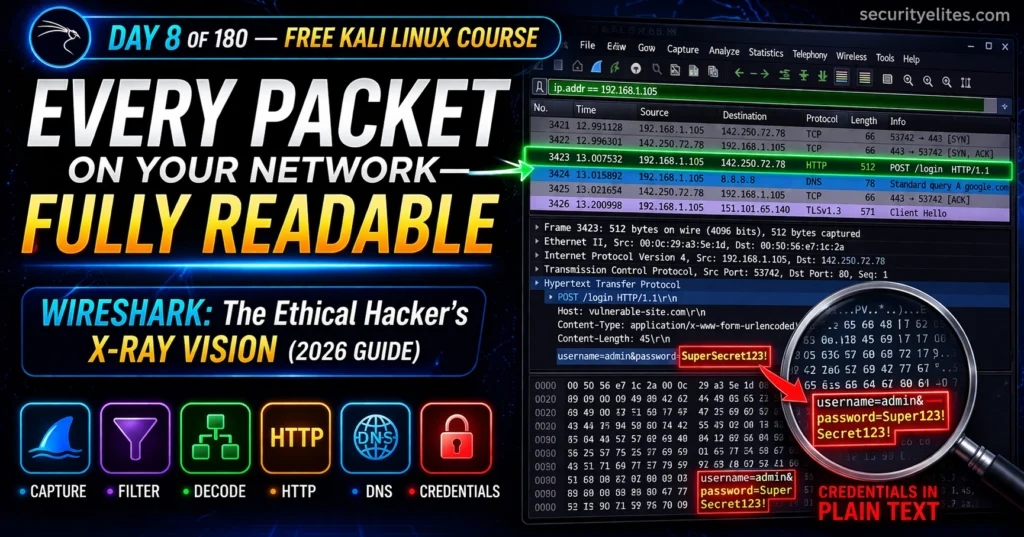
DAY 8 OF 180 KALI LINUX MASTERY COURSE FREE — ALL 180 DAYS
🔵 Day 8 — Wireshark Tutorial
Day 180 — Expert Kali Operator
🔐 AUTHORISED NETWORKS ONLY
All Wireshark captures in this guide are performed on your own home lab network, your own virtual machine interfaces, or authorised practice platforms. Capturing network traffic on networks belonging to others without explicit written permission is illegal under the Computer Misuse Act (UK), CFAA (US), and equivalent laws globally. Lab setup guide: SecurityElites — Ethical Hacking Lab Setup.
On Day 7 you used SQLmap to attack databases. Today’s tool shows you everything moving across the network in real time. Wireshark is the ethical hacker’s X-ray vision — every packet, every protocol, every conversation on the wire made completely visible. In professional engagements it captures cleartext credentials from unencrypted protocols, validates that encryption is working, and produces undeniable evidence for client reports. Day 8 teaches you to read the wire like a professional.
🦈
After reading Day 8, you will be able to: Launch Wireshark and capture live traffic on your lab network · Apply display and capture filters to isolate traffic of interest · Read the three-panel interface confidently · Decode HTTP, DNS, FTP, and TCP packets layer by layer · Follow TCP streams to reconstruct full conversations · Identify cleartext credentials in unencrypted captures · Save pcap files as penetration test report evidence
~21 min read
📊 QUICK POLL — Day 8 How comfortable are you with packet analysis going into Day 8?
🟡 Complete Beginner — never opened Wireshark before
🟠 Getting It — I’ve opened it but find it overwhelming
🟢 Confident — I can capture and apply basic filters
🔵 Already Knew This — here for advanced filters and protocol decode
✅ Vote recorded. Wireshark looks intimidating at first. The filter system is the key — learn filters and the rest becomes systematic.
📋 What You’ll Master in Day 8
- What Wireshark Does and Why Ethical Hackers Need It
- Launching Wireshark — Interface Selection & First Capture
- The Three-Panel Interface Explained
- Display Filters — Isolating Traffic You Care About
- Capture Filters — Limiting What Gets Recorded
- Protocol Analysis — HTTP, DNS, FTP, TCP Decoded
- Following TCP Streams — Full Conversation Reconstruction
- Finding Cleartext Credentials in Captures
- Statistics & IO Graphs — Network Anomaly Detection
- Saving & Exporting Captures for Reports
- Day 8 Lab Task
The Wireshark tutorial for Kali Linux is not about memorising UI buttons — it’s about developing the ability to look at raw network traffic and ask: what is this machine doing, who is it talking to, and is it doing anything suspicious? From Day 7’s SQLmap you know how to attack. Wireshark teaches you how to see. Let’s open the wire.
What Wireshark Does and Why Ethical Hackers Need It
Wireshark is a network protocol analyser — it captures every packet crossing your network interface and presents them in human-readable format with full protocol decode. It doesn’t attack anything. It doesn’t send anything. It listens — and makes what it hears completely visible.
For ethical hackers, Wireshark has three professional uses: credential capture from unencrypted protocols (FTP, HTTP, Telnet, SNMP) during authorised network assessments, traffic validation confirming encryption is actually working and sensitive data isn’t leaking in cleartext, and network reconnaissance understanding what services and conversations are happening on a target network segment.
securityelites.com
WIRESHARK USE CASES — ETHICAL HACKING 2026
🔍 RECON Map active hosts, services, and communication patterns on authorised networks.
🔑 CREDENTIAL CAPTURE Capture cleartext passwords from HTTP, FTP, Telnet — undeniable client evidence.
✅ VALIDATION Confirm TLS is working. Verify no sensitive data leaks in cleartext at packet level.
🔬 FORENSICS Analyse pcap files to investigate incidents. Reconstruct attack sequences from evidence.
Wireshark Use Cases in Ethical Hacking — four primary applications. The credential capture use case is particularly impactful: seeing their own FTP password in a pcap file is more convincing to a client than any written finding description.
Launching Wireshark — Interface Selection & First Capture
Wireshark is pre-installed in Kali Linux. Launch from Applications → Sniffing & Spoofing, or from the terminal. It requires elevated privileges on most interfaces — Kali’s default configuration handles this automatically.
Launching Wireshark in Kali Linux
COPY
# Launch Wireshark GUI
wireshark &                    # runs in background, returns prompt
sudo wireshark &               # if permission denied on interfaces

# Add user to wireshark group (permanent fix)
sudo usermod -aG wireshark $USER && newgrp wireshark

# List available interfaces
ip link show                   # Linux interface list
tshark -D                      # Wireshark CLI interface list

# Common interfaces:
eth0    # wired Ethernet — use for lab captures
wlan0   # wireless — WiFi analysis
lo      # loopback — capture local machine traffic
any     # all interfaces simultaneously

# Quick CLI capture with tshark (Wireshark's terminal cousin)
tshark -i eth0 -w capture.pcapng       # capture to file
tshark -i eth0 -f "port 80" -c 100     # 100 HTTP packets then stop
The Three-Panel Interface Explained
Wireshark’s main window is divided into three panels. Once you internalise their roles, the interface becomes intuitive instantly.
📖 Read the complete guide on SecurityElites
This article continues with deeper technical detail, screenshots, code samples, and an interactive lab walk-through. Read the full article on SecurityElites →
This article was originally written and published by the SecurityElites team. For more cybersecurity tutorials, ethical hacking guides, and CTF walk-throughs, visit SecurityElites.


